|
HDYKHOFF if this resolved your issue please set Submitter Resolution Confirmed to "Yes" on this ticket so it is removed from the Measure Development Impact Tracker. Thank you!
|
|
Wonderful! Thank you for your quick work of testing and confirming resolution. I will close out MADIE-2053 as resolved.
|
|
Hi Chandra,
The issue appears to be resolved! Thanks very much for the detailed explanation and for all your help.
|
|
Hayley,
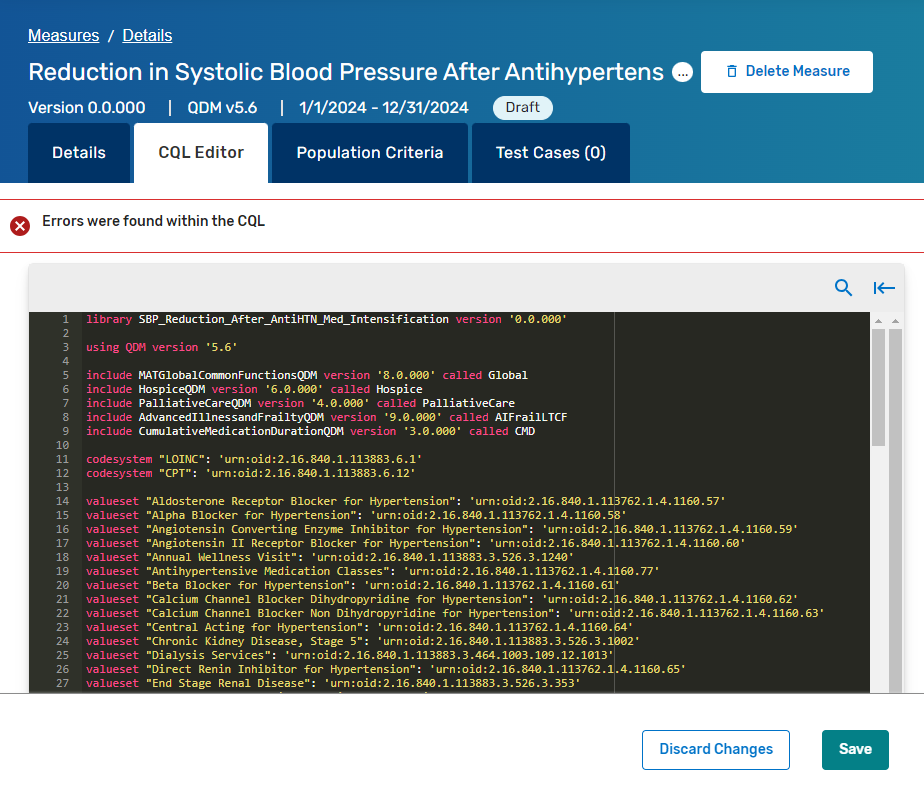
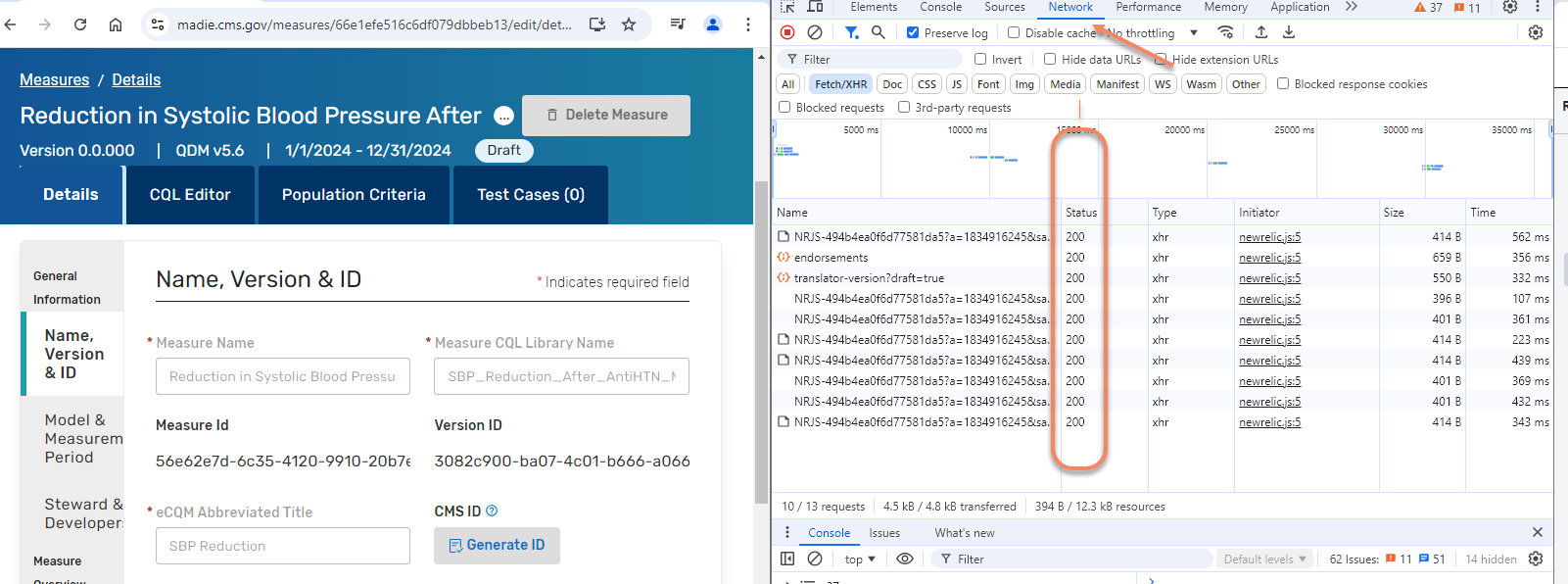
I was able to reproduce the error message you are receiving. There was a CMS Security block (403 error message in Status column of Network tab in Dev Tools) that was being generated intermittently. The security block was being spontaneously resolved when you hit 'refresh', only to happen again with subsequent updates to the measure CQL which is why you didn't capture it when you were looking. The CMS Security team has indicated that this issue is resolved. Can you retest your measures and advise if you continue to receive the nondescript error message "Errors were found within the CQL" while updating? If yes, I may need to arrange a Teams call with you to collected CMS Security IDs that are being specifically generated for you.
Please advise if you are still experiencing the reported issue in the measures you identified. Thank you!
|
|
I was not aware of this search limitation, apologies. Here are the (current draft) names of the other measures:
- Follow-up Visit for Adult Patients with Uncontrolled Blood Pressure
- Antihypertensive Medication Intensification for Adult Patients with Uncontrolled Essential Hypertension
- Confirmatory Blood Pressure Measurement for In-Clinic Encounters
- Median Time to Pain Medication for Patients with a Diagnosis of Sickle Cell Disease (SCD) with Vaso-Occlusive Episode (VOE)
|
|
Can you provide the Measure Name for the other impacted measure libraries? As you may be aware, MADiE doesn't currently have the ability to look up a measure using the measure CQL library name (There is a submitted enhancement request for this functionality). To ensure we are looking at the right measure in MADiE, can you provide the Measure Name as it appears in the measure list on the All Measures list page or the measure details page URL.
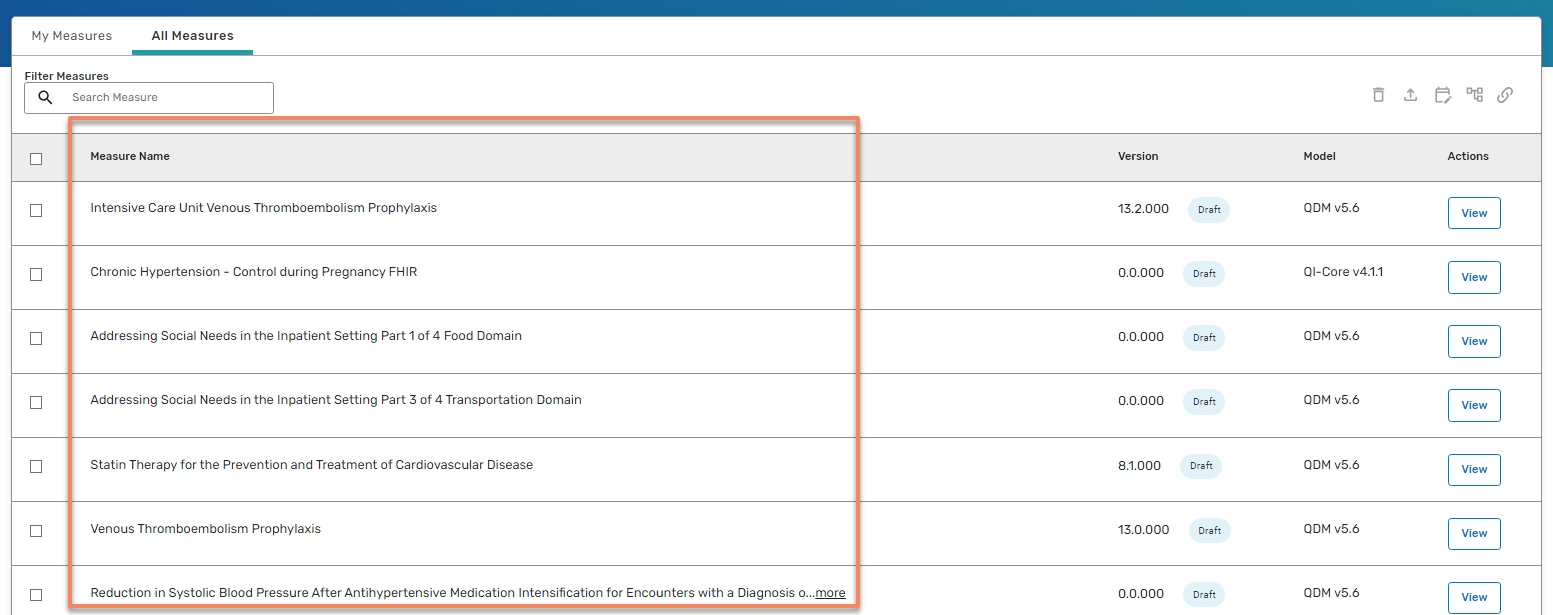
OR
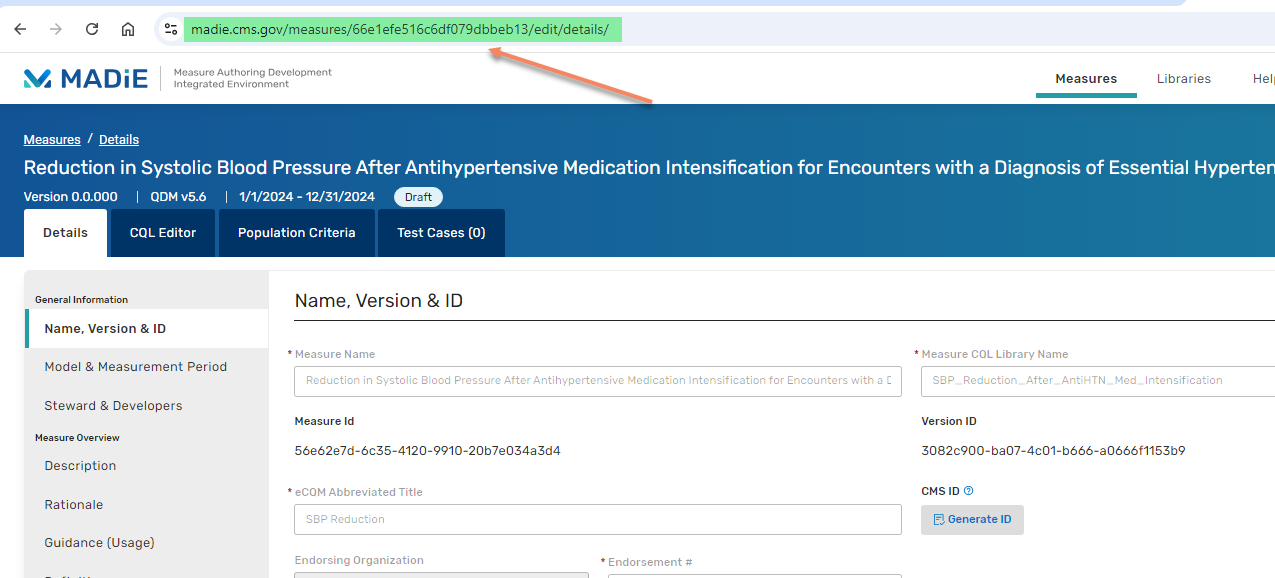
|
|
Can you provide the Measure Name for the other impacted measure libraries? As you may be aware, MADiE doesn't currently have the ability to look up a measure using the measure CQL library name (There is a submitted enhancement request for this functionality). To ensure we are looking at the right measure in MADiE, can you provide the Measure Name as it appears in the measure list on the All Measures list page or the measure details page URL.
OR
|
|
Hi Chandra,
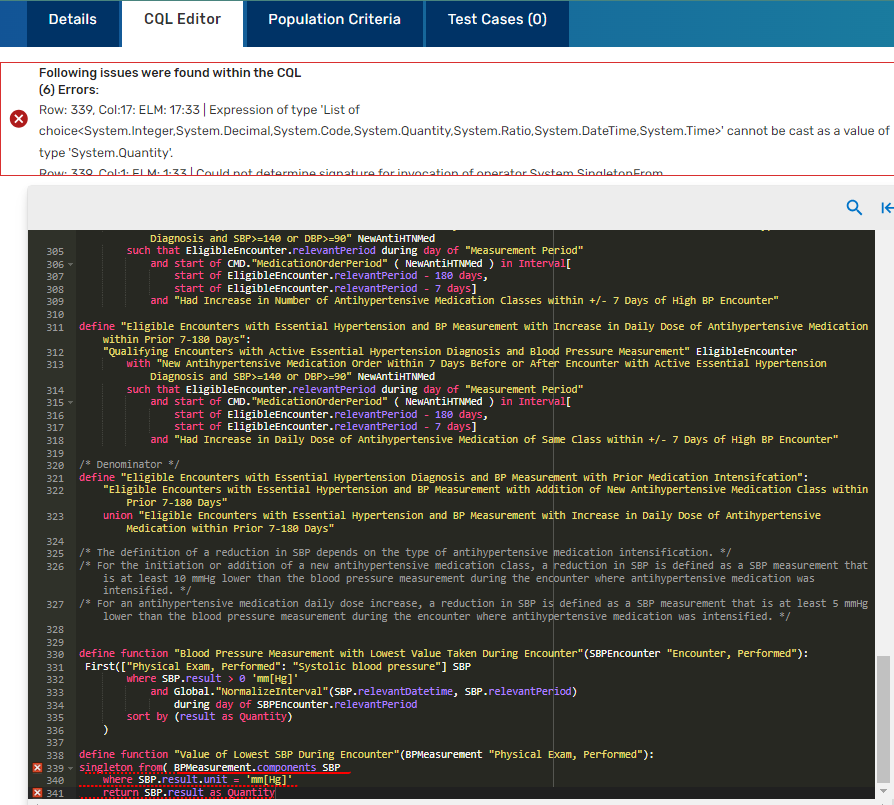
Thank you and the team for looking into this issue. Thankfully, I also receive the detailed error messages when I attempt to save the CQL with actual errors in the code. I can tell when this happens because the error message identifies the locations of the errors and adds the red Xs in the margin of the Editor, to the left of the code line numbering. I count this as a blessing because I can still debug my code in progress and make progress on my project. It is exactly when I attempt to save an error-free version of the CQL for the second time that I begin to receive the generic error message; that is, I am able to successfully save an error-free version once, but any attempts to save a subsequent error-free version will receive the generic error message.
Additional measure libraries have included the following:
- FollowupVisitforHighBP
- AntiHTN_Med_Intensification
- ConfirmatoryBP
- CMS1272TimetoPainMedicationforSCD
|
|
Hi Hayley,
The team is looking into your reported issue. You indicated that you are receiving the generic error message "Errors found within the CQL." when trying to make any number of changes/updates to the CQL. Are you receiving any other messages when you are trying to make updates, or is it always this generic error? Additionally, I appreciate the measure example you provided. Can you provide some of the additional measure names where you receive this error. It might be helpful to see similarities between the impacted measures.
|
|
Hayley,
I appreciate your additional information. I have shared your responses with the team and they are investigating further. Please continue to monitor the ticket as it will be updated as more information becomes available.
|
|
Hi Chandra,
Thanks for your quick response. This issue has been happening for me across multiple measures/libraries, but I updated the ticket with the name of one of the draft CQL libraries that I've been working on for reference.
1.) What browser are you using?
Google Chrome (Version 129.0.6668.101)
2.) Do you have concurrent sessions open?
No
3.) Is more than one person working in the measure simultaneously?
No
4.) Are you still blocked?
I don't know what you are asking with this question.
5.) Can you provide the exact steps you were taking leading up to the error message? Specifically, what were you adding/updating within the CQL.
Yes. I am copy-pasting a piece of pre-written code OR directly typing fresh code into the editor. The error is agnostic to the content of the update/addition - it can be as simple as the addition of a carriage return or a few spaces.
6.) Are other team members receiving the same error messages?
None of my other team members work within the CQL Editor, but they have not had similar issues with editing other tabs for the measure.
7.) Do you have an exact time you can point to where you received this error message, so we can potentially identify errors in our activity logging?
I have been been experiencing this error many times a day for the past few weeks, so you could find it many places, but here is one: 2:59 PM CST on 10-17-2014.
8.) When errors are received like the one you are describing, we do ask users to try to capture a error by performing the following steps.
a. Right click on the CQL page and select the last option 'Inspect' and a separate DevTools window should open
b. Perform your desired update in MADiE.
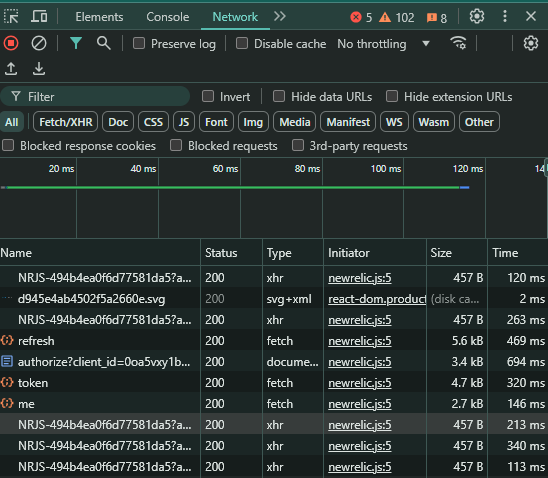
c. View the 'Network' tab in the separate developer window and evaluate if there is a status other than 200 being displayed.
d. Please share the status you are viewing.
All statuses are "200."
|
|
Hi Hayley,
Can you please update your ticket with the Measure/Library Title and the Measure/Library URL?
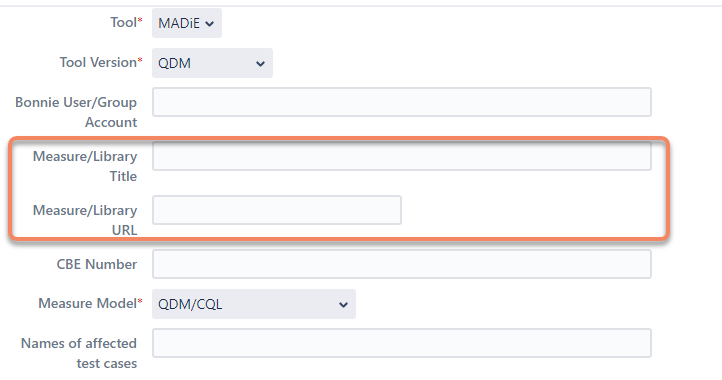
In addition, can you answer a few additional questions to help us look into your reported issue.
1.) What browser are you using?
2.) Do you have concurrent sessions open?
3.) Is more than one person working in the measure simultaneously?
4.) Are you still blocked?
5.) Can you provide the exact steps you were taking leading up to the error message? Specifically, what were you adding/updating within the CQL.
6.) Are other team members receiving the same error messages?
7.) Do you have an exact time you can point to where you received this error message, so we can potentially identify errors in our activity logging?
8.) When errors are received like the one you are describing, we do ask users to try to capture a error by performing the following steps.
a. Right click on the CQL page and select the last option 'Inspect' and a separate DevTools window should open
b. Perform your desired update in MADiE.
c. View the 'Network' tab in the separate developer window and evaluate if there is a status other than 200 being displayed.
d. Please share the status you are viewing.
|
|
Thank you for submitting your question/issue. We will assign this to a team member and respond in one business day. If your question/issue is related to a particular measure, please upload the corresponding measure package.
|
Generated at Wed Apr 01 10:01:25 UTC 2026 using Jira 10.3.16#10030016-sha1:d130eae65421e3c61021a8b379241874f1f8608f.
 image-2024-10-17-13-50-59-474.png